
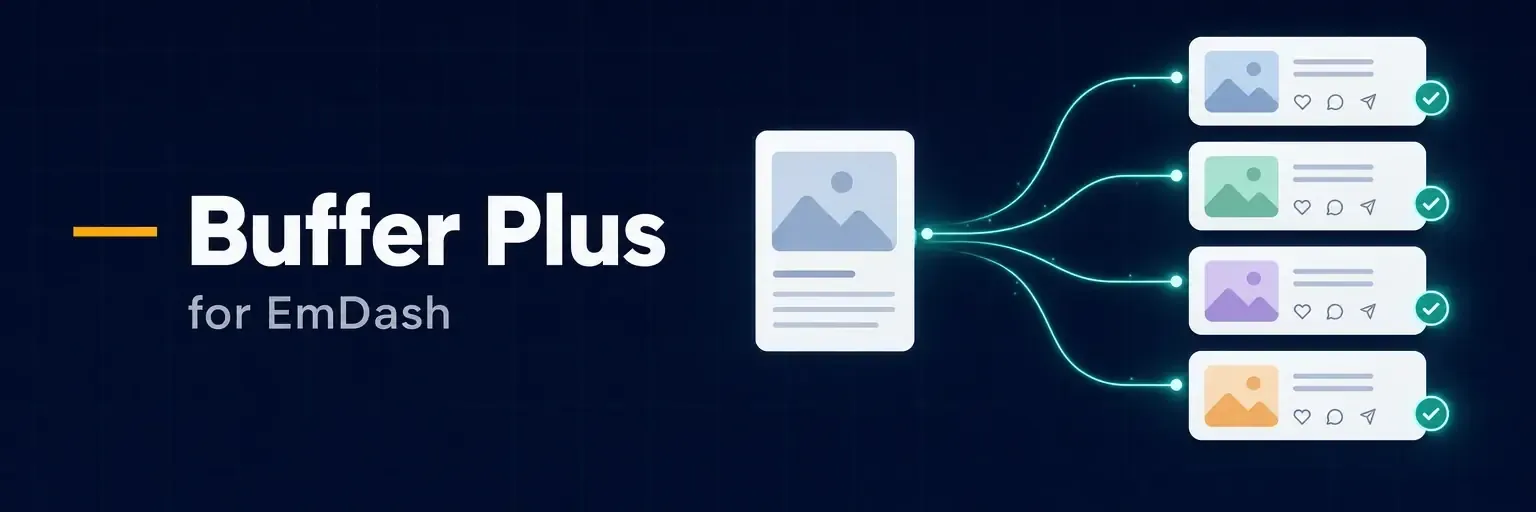
EmDash to Buffer Plus shares new EmDash entries to your Buffer channels, fitted to each network, and follows every post from your site to the live post. It uses the Buffer API with your own personal key, and it is not made, endorsed or supported by Buffer. Install it from its page in the EmDash plugin registry.
What it solves
Sharing a new post by hand means pasting the title and link into each network, trimming the text to each limit, picking an image each one will accept, and checking later whether it actually went out. The plugin does that when you publish. Each network gets text that fits, the entry's image or a link card, and a delivery record you can check from the entry itself.
What it does
Post text comes from a template with {title}, {description} and {url}, and a channel can have a template of its own. When text is too long for a network, only the description is shortened. The title and link are never cut. Before an entry is first sent, its editor panel lets you leave a channel out or write custom text for it.
Each channel attaches the entry's image, a link card where Buffer supports one, or nothing. Buffer fetches images itself, so the plugin passes the image's public address on your site, and only an https address on your own host or an external media provider. Instagram takes images from 4:5 (tall) to 1.91:1 (wide) only, and Buffer cannot crop. When an entry's image is outside that range, Instagram is skipped up front with the reason, and the editor panel warns before the first share.
Every delivery is followed until the network publishes it, and the panel then links to the live post. A post Buffer refuses shows Buffer's reason and a Retry button. When an answer from Buffer is uncertain, such as a timeout, the plugin looks for the post in Buffer before it sends anything again, so nothing goes out twice. Once Buffer is done with a post, Send again sends the same text as a new one, which also fixes an Instagram post after you choose a differently shaped image.
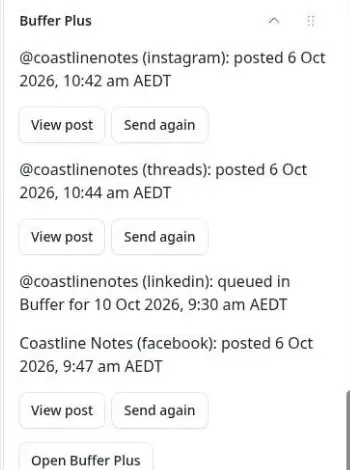
Only entries first published after you install the plugin are shared automatically, and republishing never sends again. An administrator can share an older entry by hand with Share now in its editor panel.
Reports
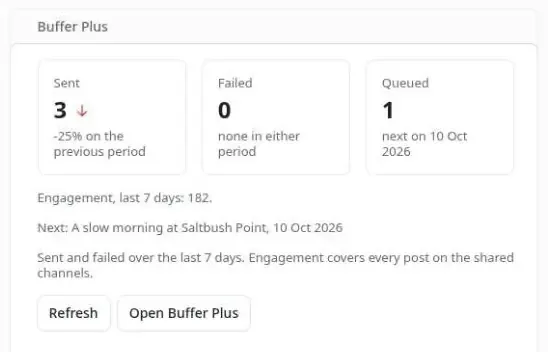
The Buffer Plus page shows posts sent, queued and failed over 7, 30 or 90 days, impressions and engagement by day, top entries and a table per channel. Figures are split into posts made directly on each network and posts made through Buffer, and days follow the plugin's Time zone setting. A figure Buffer has not reported is shown as missing, never as zero. The dashboard card gives the last seven days at a glance.
Buffer's limits
Buffer limits API requests per account, and every API key and connected assistant on the account shares the same allowance. Buffer's guide gives 250 a day and 3,000 in 30 days on the Free plan, 250 and 7,500 on Essentials, and 500 and 15,000 on Team. The plugin uses about 40 to 50 a day for 10 channels. Its background reports pause while less than the Leave for other tools share is left, 25% unless changed. New posts are never dropped: when the limit runs out they wait and go out by themselves once it refills. The Free plan also gives figures for the last 31 days only, and the plugin shows what your plan allows.
Before you install
You need EmDash 1.1.0 or later with a plugin sandbox runner, a Buffer account with your channels connected, and EMDASH_ENCRYPTION_KEY set on the site so the API key can be saved encrypted. Each collection you share from needs a URL Pattern, under Content Types, so its entries have a public link. On Cloudflare Workers, the sync needs the Cron Trigger from EmDash's deployment guide.
Install and set it up
In the EmDash admin, open the Registry, find EmDash to Buffer Plus and select Install. It asks to read content, the schema and media, and to make network requests to api.buffer.com only.
In Buffer, open Settings > API and create a personal API key. A Buffer key acts for your whole account, and Buffer offers no narrower one. Then open Plugins and the plugin's settings:
- Buffer API key. Stored encrypted and never shown again.
- Share new entries. On unless changed. Turn it off to pause sending without losing anything.
- Post text. The default is the title, the description and the link on separate lines.
- Time zone. An IANA name. It starts at
Australia/Sydney, so set your own. - Leave for other tools. 25% unless changed, from 10 to 75.
Save, open Plugins, Buffer Plus and select Setup:
- Select Discover channels. The plugin reads your organisations, channels, posting limits and each channel's rules from Buffer.
- Turn on each channel you want, and choose when it posts (add to the queue, share next, share now or save as a Buffer draft) and what it attaches. Pinterest also needs a board.
- Under Collections, tick the collections to share from and choose where each takes its image.
- Optionally add
utm_source,utm_mediumandutm_campaignlink tags.
Publish an entry and it goes to Buffer straight away, or within a minute or two when many channels are on.
MCP tools
With Agent access on under Plugins, an AI agent can ask for one entry's deliveries, the newest deliveries across the site, each channel's health and the engagement summary. The tools are read-only, answer from what the plugin stored and never call Buffer.
Get it
EmDash to Buffer Plus is free, under the MIT licence. Install it from the EmDash plugin registry. The source, the full README and the issue tracker are on GitHub.


No comments yet